iPhone Shortcut
LetterboxdKinoCalendar,
in one tap
Found a film on Letterboxd? Share it to the shortcut and jump straight to where it’s playing near you — no searching, no typing the title twice.
Add the ShortcutRequires the Shortcuts app (built into iOS) · allow location once
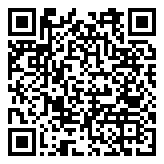 On a computer? Scan to add it on your iPhone.
‹
⋯
The Film
1999 · DIRECTED BY
A. Director
The Film
1999
◉Logged
♥Liked
◷Watchlist
Rated ★★★★★
Add to lists
Share
Done
The Film (1999)boxd.it
AirDrop
Messages
Mail
Notes
🧭Safari
⎘Copy
🎬KinoCalendar
KinoCalendar
The Film
Coolidge Corner7:30
The Brattle9:15
Somerville9:45
Set it up once
1
Add the shortcut
Tap Add the Shortcut above and confirm. It lands in your Shortcuts app and Share sheet.
2
Allow location once
The first run asks for location so it can pick the right city automatically. You never set a city by hand.
3
Share any film
On a Letterboxd film page, tap Share → KinoCalendar. That’s it.
Using it
- Open a film’s page in the Letterboxd app (or Safari).
- Tap the Share button.
- Choose KinoCalendar from the Share sheet.
- It opens the film’s showtimes in your nearest city — or, if you’re away from a supported city, lets you pick one.
Troubleshooting
That film has no upcoming showtimes in your city right now.
The page offers buttons to check the other KinoCalendar cities.
KinoCalendar tracks theatrical movies, not TV. Letterboxd TV
entries don’t map to a showtimes page.
That happens when location is off or you’re far from
Boston, New York, Los Angeles, or Houston. Allow location in Settings, or just tap a city.